Perfect reports, zero errors
Guided reporting of faults and industrial maintenance interventions: geolocated photos, OCR, professional PDF and pre-filled email — all from your device.
Prices shown are exclusive of tax. The final amount — including VAT, GST, or other applicable tax based on the customer's billing country — is calculated automatically by Paddle at checkout.
🚧 Purchases coming soon — available shortly
The payment system (Paddle) is not yet operational on this site. No transactions can be completed at this time. Purchase activation will be announced on this page and on the pricing page.
Mobile-first · Works offline · Data saved on your device
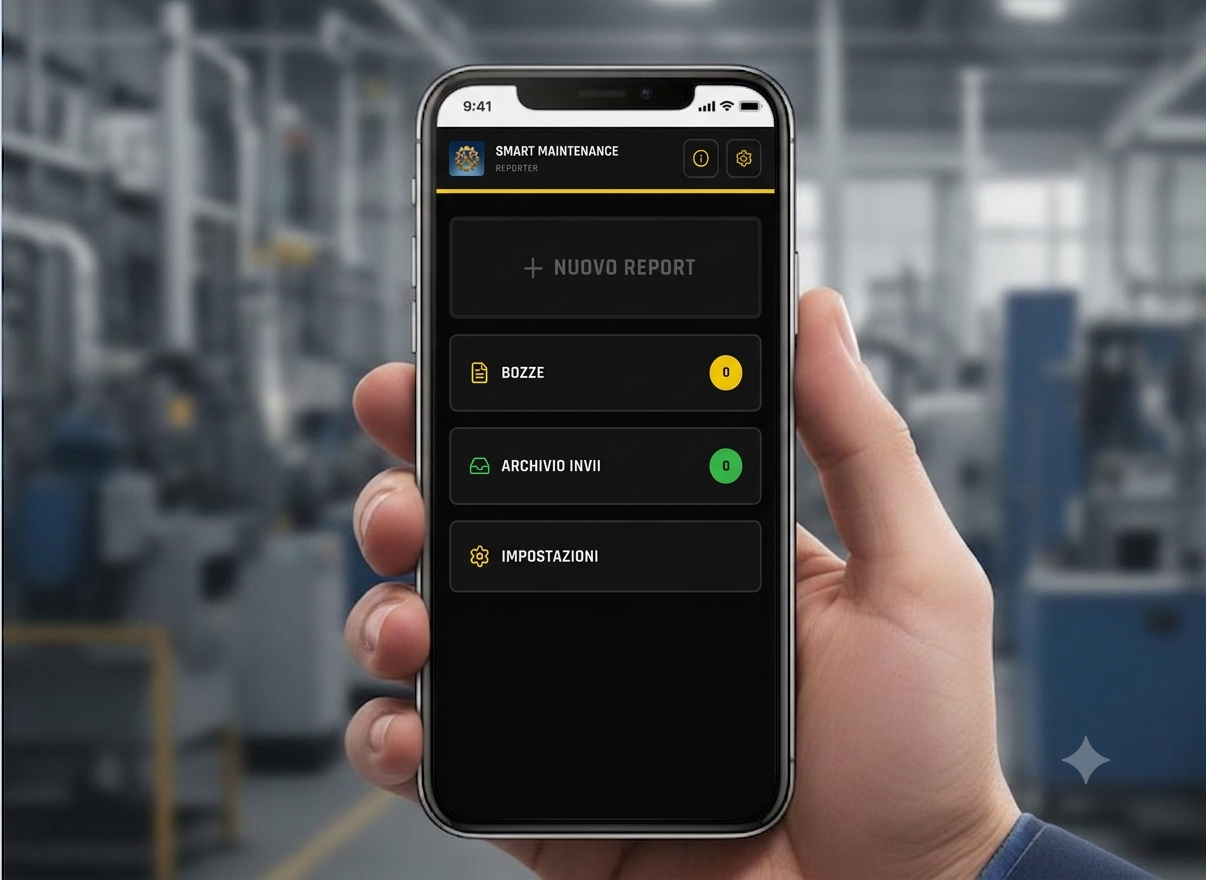
What is SmartMaintenance
Maintenance becomes intelligent
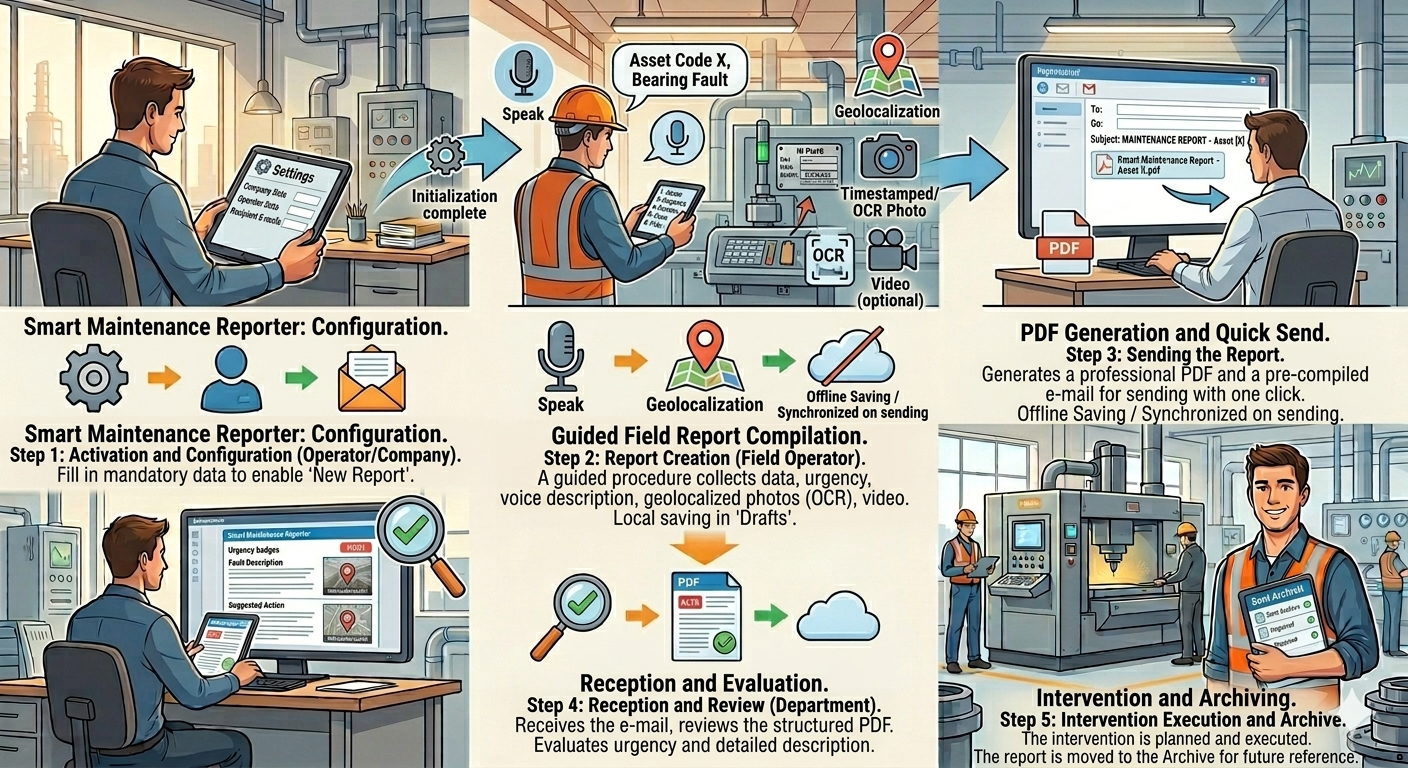
SmartMaintenance is a mobile-first application for guided reporting of faults and industrial maintenance interventions. The field technician compiles a structured report with asset data, fault description, suggested action, geolocated photos, video and GPS coordinates, generating a professional PDF and a pre-filled email ready to send.
Key features
Everything you need, in a single app
Activate the app with your licence and enable all features in seconds.
Enter company and operator details once — they will be consistent in every report.
A step-by-step wizard guides the operator so no data is ever missed.
Capture geolocated photos with date, time and coordinate watermarks — always traceable.
Attach a short video to document the fault even more clearly.
Automatic asset plate recognition: less typing, fewer errors.
GPS coordinates of the intervention are detected and attached automatically.
Save drafts and retrieve every submitted report in a tidy, searchable archive.
Generate a polished, standardised PDF ready to share.
Pre-filled email with attachments and preset recipients: service centre and managers.
How it works
Reporting in 8 steps
Identify the machine with its registry data and licence plate.
Associate the work order or intervention reference.
Set the urgency level of the report.
Describe the fault and the suggested corrective action.
Attach watermarked photos with GPS coordinates.
Add an optional video of the intervention.
Coordinates are detected automatically.
Generate the PDF and send the pre-filled email.
Why choose SmartMaintenance
Cut time, raise quality
Complete and generate the report even without a connection — send it whenever you like.
The guided workflow and OCR minimise omissions and incorrect data.
Every technician produces identical, professional and retrievable documents.
From the field to the office in one click: faster reports, quicker decisions.
Data stays on your device, with a history always at hand.
Designed for the field technician: simple, robust and fast to use.
Generated PDF
A professional, standardised document
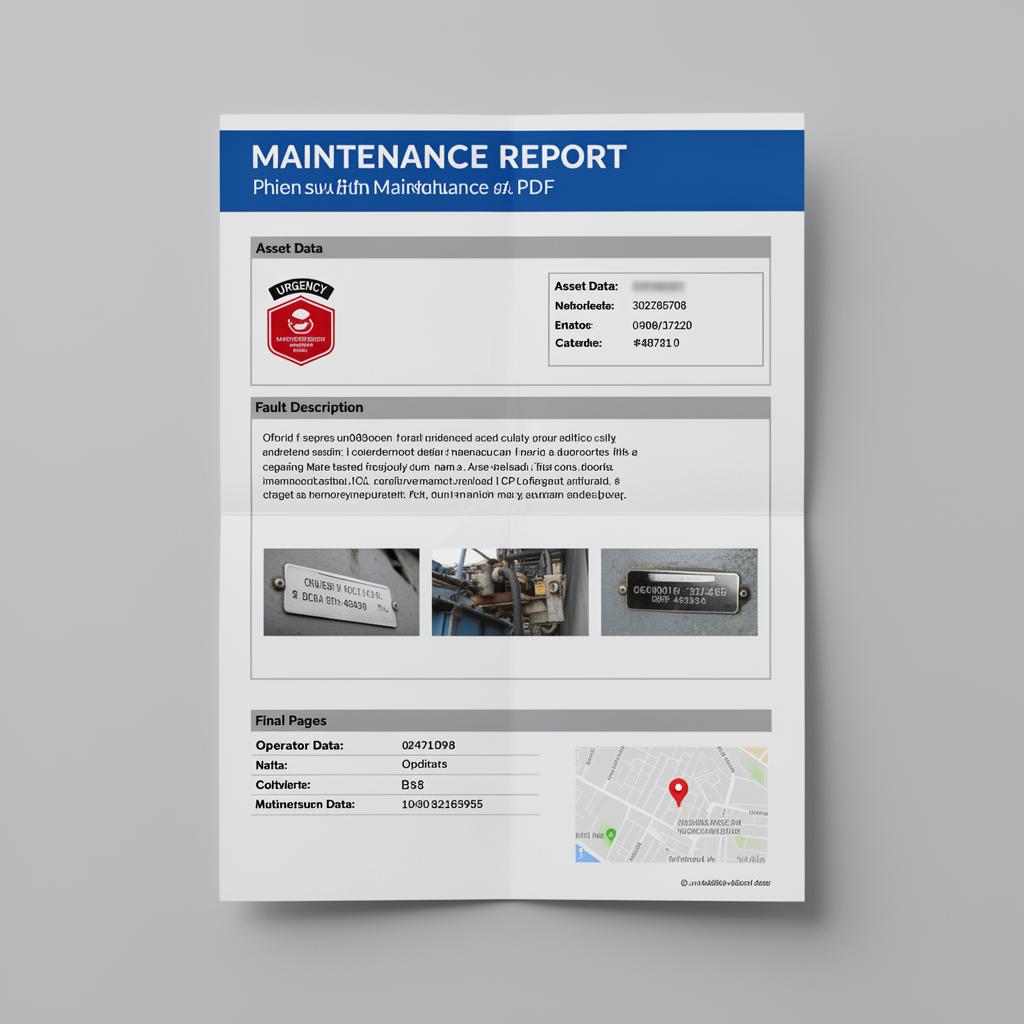
Every report generates a polished PDF, identical for every technician and easy to consult:
- Header on blue background
- Clearly visible urgency badge
- Complete asset data block
- Fault description and suggested action
- Photos with licence-plate OCR recognition
- Final page with operator data and GPS coordinates
Privacy & security
Everything under your control
Reports and attachments stay on the device — no external server archive.
You decide when and to whom to send: no background transmissions.
Export and keep your reports whenever you prefer, in full control.
Frequently asked questions
Industrial maintenance, reinvented
A new standard for technicians and companies: from the field to the office in one click.
Prices shown are exclusive of tax. The final amount — including VAT, GST, or other applicable tax based on the customer's billing country — is calculated automatically by Paddle at checkout.
🚧 Purchases coming soon — available shortly
The payment system (Paddle) is not yet operational on this site. No transactions can be completed at this time. Purchase activation will be announced on this page and on the pricing page.